
Download Master Class Adobe After Effects Edition – Learn After Effects Free, Secure, Fast
Overview – Why Master Class Adobe After Effects Edition Stands Out
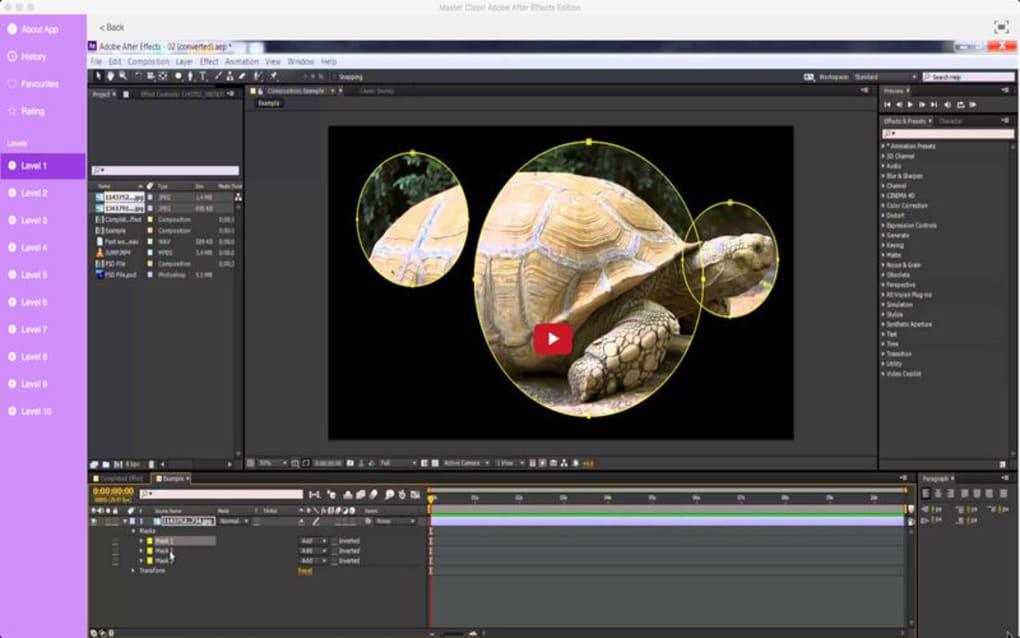
Master Class Adobe After Effects Edition is a comprehensive learning app designed for anyone who wants to master Adobe After Effects from the ground up. Built by seasoned industry professionals and backed by Adobe Systems, the tool offers a structured curriculum that covers everything from basic interface navigation to advanced motion‑graphics techniques. With close to 400 video tutorial guides, learners receive step‑by‑step demonstrations that mimic real‑world post‑production scenarios used in television, film, and digital advertising. The app doesn’t just teach you how to add visual effects; it walks you through keying, tracking, compositing, and animating, turning a novice into a confident editor capable of handling a full post‑production workflow. Moreover, the platform doubles as a practice environment, allowing you to experiment with non‑linear editing, media transcoding, and even audio editing—all within the familiar After Effects interface. Whether you’re a student, a freelancer, or a seasoned designer looking to upgrade your skill set, Master Class provides a secure, regularly updated learning path that adapts to the latest software releases. The fact that the entire course is packaged inside a single app means you can study offline, track your progress, and revisit any lesson without needing an internet connection after the initial download. In short, this app is the most efficient, all‑in‑one solution for anyone serious about mastering Adobe After Effects and creating professional‑grade videos with confidence.
Features – What You Get Inside the Master Class Toolbox
- 400+ High‑Quality Video Tutorials: Each lesson is filmed in HD, featuring real‑world projects that illustrate key concepts such as rotoscoping, 3‑D camera tracking, and particle animation.
- Progress Tracking & Certificates: The built‑in learning tracker records completed modules and awards digital certificates that you can share on LinkedIn or your portfolio.
- Interactive Practice Files: Downloadable After Effects project files accompany every tutorial, allowing you to follow along and experiment with the exact assets used in the demonstration.
- Regular Content Updates: The app receives monthly updates that incorporate the latest After Effects features, ensuring you stay current with Adobe’s evolving toolset.
- Offline Mode: Once downloaded, all videos and assets are accessible without an internet connection, perfect for travel or low‑bandwidth environments.
- Community Forum Integration: Direct access to a moderated community where you can ask questions, share your work, and receive feedback from peers and instructors.
- Multi‑Platform Support: Available for Windows, macOS, iOS, and Android, so you can learn on the device that suits you best.
- Built‑In Quiz Engine: Short quizzes after each major section test your retention and help reinforce key concepts before you move on.
- Export‑Ready Templates: Pre‑made motion‑graphics templates that you can customize for client work, saving time and increasing productivity.
- Secure Cloud Sync: Your progress, notes, and custom presets are synced securely across devices via encrypted cloud storage.
The feature set is deliberately crafted to mirror a real‑world production pipeline. For example, the “Advanced Compositing” module guides you through building a multi‑layer shot using keying, matte painting, and color grading—all within a single project file that you can export for client review. Meanwhile, the “Motion Graphics for Social Media” track focuses on creating eye‑catching Instagram reels and TikTok videos, teaching you how to animate text, shape layers, and pre‑comps efficiently. The app also integrates with Adobe Creative Cloud, letting you pull assets directly from Photoshop or Illustrator without leaving the After Effects workspace. This tight integration speeds up workflow and reinforces best practices for asset management, a crucial skill for any professional editor. Whether you prefer a linear learning path or want to jump straight into a specific niche—like VFX, broadcast graphics, or kinetic typography—the modular design of the Master Class allows you to tailor the experience to your personal goals. Overall, the extensive feature list not only provides comprehensive education but also equips you with a toolbox that’s ready for immediate production use.
Installation, Usage & Compatibility – Getting Started Quickly and Securely
Step‑by‑Step Installation Guide
Installing Master Class Adobe After Effects Edition is straightforward. Begin by visiting the official website or your device’s app store (Google Play, Apple App Store, Microsoft Store). Click the “Download” button, which triggers a secure HTTPS connection and verifies the file’s digital signature to prevent tampering. Once the installer finishes downloading, launch it and follow the on‑screen prompts: accept the End‑User License Agreement, choose an installation directory (the default location is recommended for automatic updates), and click “Install.” On Windows and macOS, the installer may request administrator privileges; this is normal and ensures the app can write to protected system folders for update management. After installation, a short “First‑Run” wizard walks you through creating an account, selecting your preferred learning track (Beginner, Intermediate, Advanced), and optionally linking your Adobe Creative Cloud ID for seamless asset import.
How to Use the App Effectively
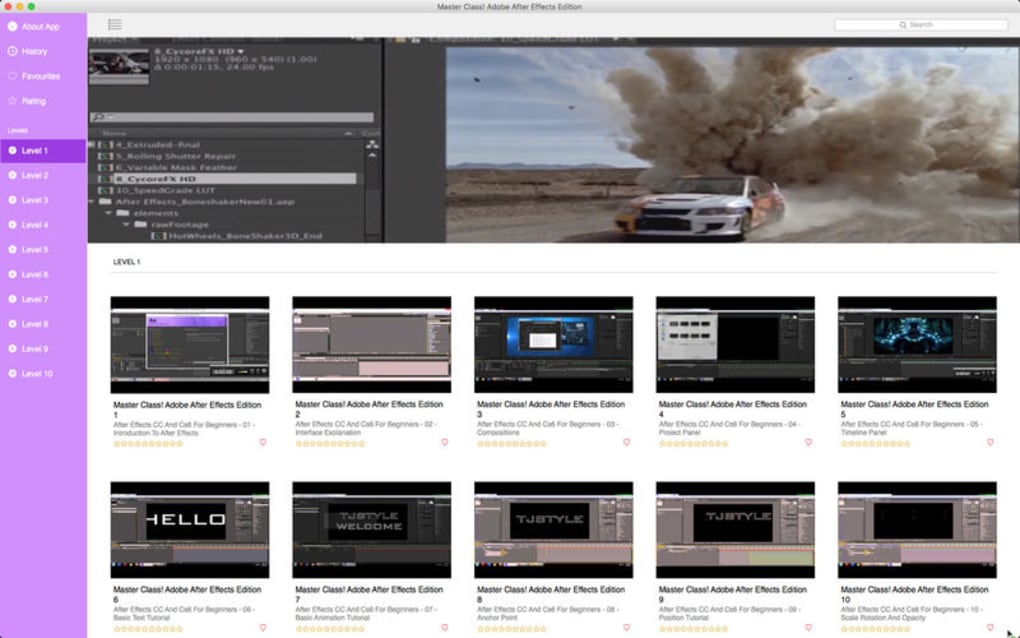
Upon launching the app, you’ll land on a dashboard that displays your current progress, upcoming lessons, and a quick‑launch panel for recent practice files. To start a tutorial, simply tap the thumbnail; the video begins playing while a sidebar shows the associated project file download button. The built‑in video player supports adjustable playback speed, subtitles, and picture‑in‑picture mode, allowing you to keep the After Effects interface visible while the lesson runs. Use the “Practice Mode” button to open the linked project directly in After Effects; the app automatically installs any required plug‑ins or scripts that are demonstrated in the lesson. While you work, the app’s “Live Help” widget offers context‑aware tips based on the tool you have selected, reducing the need to switch back and forth between the tutorial and external documentation. When you finish a module, take the short quiz; a passing score unlocks the next set of lessons and awards a digital badge that appears in your profile.
Compatibility – Supported Operating Systems and Devices
Master Class Adobe After Effects Edition is designed for cross‑platform accessibility. The desktop version runs on Windows 10 (64‑bit) or later, and macOS 11 (Big Sur) or later, requiring at least 8 GB RAM and a GPU with OpenGL 4.1 support. Mobile versions are optimized for iOS 14+ and Android 9.0+, offering a trimmed‑down interface that still provides full video playback and practice file downloads. Because the app relies on the native After Effects installation for project rendering, you must have a licensed copy of Adobe After Effects (CC 2020 or newer) installed on your workstation. The mobile app does not run After Effects locally; instead, it syncs your progress to the cloud, allowing you to continue learning on a tablet while the heavy rendering tasks remain on your desktop. Cloud sync ensures that bookmarks, notes, and completed quizzes are instantly available across all devices, giving you a seamless learning experience whether you’re at home, in a coffee shop, or on the road.
Pros & Cons – Balanced Assessment of Master Class Adobe After Effects Edition
Advantages
- Comprehensive Curriculum: Nearly 400 video tutorials cover every aspect of After Effects, from fundamentals to specialized VFX techniques.
- Hands‑On Practice Files: Every lesson includes downloadable project files, enabling immediate application of concepts.
- Offline Accessibility: Once downloaded, content can be viewed without an internet connection, ideal for remote learning.
- Regular Updates: Monthly content updates keep the material aligned with the latest Adobe releases.
- Cross‑Platform Support: Available on Windows, macOS, iOS, and Android, providing flexibility for different learning environments.
- Secure Cloud Sync: Encrypted synchronization of progress and presets across devices.
- Community Integration: Access to a moderated forum for peer support and feedback.
- Certification: Digital badges and certificates that can be showcased on professional profiles.
Drawbacks
- Requires Existing After Effects License: The app does not include the core software; a separate Adobe subscription is mandatory.
- Large Initial Download: High‑definition videos and practice assets can exceed 5 GB, requiring ample storage and bandwidth.
- Learning Curve for Absolute Beginners: While the curriculum starts from scratch, complete newcomers to motion graphics may need additional foundational tutorials outside the app.
- Limited Mobile Editing: Mobile versions lack full After Effects functionality; they serve only as learning companions.
Overall, Master Class Adobe After Effects Edition delivers a robust, up‑to‑date educational experience that empowers users to become proficient video editors and motion‑graphics artists. The pros far outweigh the cons, especially for anyone already invested in the Adobe ecosystem.
FAQ – Answers to the Most Common Questions
Do I need a separate Adobe After Effects license to use the Master Class?
Yes. Master Class is a learning platform only; it requires an existing, licensed copy of Adobe After Effects (CC 2020 or newer) installed on your computer to open the practice project files.
Can I access the tutorials offline?
Absolutely. After the initial download, all videos and assets are stored locally, allowing you to study without an internet connection. Only the cloud sync feature requires occasional online access.
Is there a free trial or a demo version?
The app offers a 7‑day free trial that includes access to the first 20 tutorials and associated practice files. No credit card is required to start the trial.
What devices are supported for the mobile version?
The mobile app runs on iOS 14+ (iPhone & iPad) and Android 9.0+ (phones & tablets). It provides video playback, progress tracking, and cloud sync, but does not include a full After Effects editing engine.
How often is new content added?
New tutorials, updates, and feature demonstrations are released monthly, ensuring that the curriculum stays aligned with the latest Adobe After Effects releases and industry trends.
Conclusion – Start Creating Professional Motion Graphics Today
Master Class Adobe After Effects Edition is more than just a collection of tutorials; it’s a full‑featured learning ecosystem that bridges the gap between theory and real‑world production. By offering a massive library of high‑quality videos, practice files, and interactive quizzes, the app equips you with the confidence to tackle complex visual‑effects projects, whether you’re crafting a short film, a commercial, or social‑media content. The seamless integration with Adobe Creative Cloud, secure cloud sync, and regular updates ensure that your skills remain current and market‑ready. While you’ll need an existing After Effects license, the value you gain from the structured curriculum, certifications, and community support far outweighs the additional cost. If you’re serious about elevating your motion‑graphics game, download Master Class Adobe After Effects Edition today, start the free trial, and take the first step toward producing professional‑grade videos that stand out in today’s competitive media landscape.







